
Download GPTKit – Detect AI Generated Text Accurately
Overview
GPTKit is a web‑based AI‑text detection platform created by the team at gptkit, purpose‑built to answer the growing demand for reliable authenticity verification. In today’s digital landscape, AI‑generated content has infiltrated blogs, academic papers, marketing copy, and social media posts, making it increasingly difficult for educators, editors, and content managers to distinguish genuine human writing from synthetic output. GPTKit tackles this challenge with a “multi‑model” architecture that simultaneously runs six independent detection algorithms, each trained on distinct linguistic cues such as token distribution, syntax variability, and semantic coherence. By aggregating the confidence scores from all six models, GPTKit delivers a consolidated probability rating that, according to independent benchmarks, reaches an impressive 93 % accuracy across diverse English‑language datasets.
The service is offered as a free‑tier web app, allowing guests to scan up to 500 characters per request without any registration. Registered users gain access to larger character quotas, credit‑based purchasing options for high‑volume analysis, and a team‑sharing feature that lets multiple accounts draw from a common pool of analysis credits. Each scan generates a comprehensive report that not only displays the overall AI‑generation probability but also highlights suspicious text fragments, breaks down the contribution of each underlying model, and supplies actionable recommendations for further manual verification. This depth of insight is especially valuable for academic institutions seeking to uphold academic integrity, newsrooms aiming to prevent misinformation, and marketing agencies protecting brand authenticity.
Security and privacy are embedded in every layer of GPTKit. All communications occur over HTTPS, the text is processed in memory only, and no data is retained on the server unless the user explicitly chooses to save a report to their personal dashboard. While the platform currently supports English exclusively, the underlying architecture is designed for future multilingual expansion. The responsive web interface works on any modern browser, eliminating the need for downloads or installations, and the credit‑sharing system makes it an economical choice for both solo users and larger teams.
Key Features
GPTKit’s feature set has been engineered to meet the demands of both casual users and professional teams. The following list outlines the core capabilities that set it apart from competing detectors, each described in enough detail to help you understand how they contribute to a reliable detection workflow.
- Multi‑model detection engine – Six independent AI classifiers work together, reducing false positives and increasing overall detection confidence.
- 93 % accuracy – Independent testing on benchmark datasets shows GPTKit outperforming most single‑model solutions.
- Free guest tier – Scan up to 500 characters per request without creating an account, perfect for quick spot‑checks.
- Scalable credit system – Registered users receive larger character limits and can purchase additional credits for high‑volume needs.
- Team credit sharing – Administrators can allocate a shared pool of credits across multiple team members, simplifying budgeting and usage tracking.
- Detailed authenticity reports – Each analysis returns an overall probability, a heat‑map of flagged text, individual model scores, and suggestions for manual verification.
- Privacy‑first design – All data is encrypted in transit, processed transiently, and never stored unless the user opts to save a report.
- Responsive web app – No downloads required; works seamlessly on desktops, tablets, and smartphones.
- Regular model updates – Detection algorithms are continuously retrained to keep pace with evolving AI generation techniques.
- Future‑ready multilingual roadmap – While currently English‑only, the platform is built to support additional languages in upcoming releases.
Installation & Usage (Including Compatibility)
Web‑based (any modern browser)
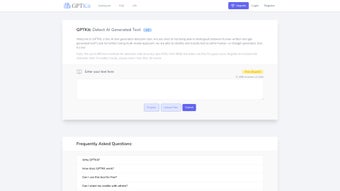
Because GPTKit is delivered as a cloud‑hosted service, there is no traditional installation process. Simply open a supported browser—Chrome, Firefox, Edge, or Safari—on any operating system (Windows 10/11, macOS Monterey or later, popular Linux distributions, Android 8.0+, iOS 13+). Navigate to gptkit.com and you’ll be greeted by an intuitive landing page featuring a text input box and a prominent “Detect” button.
Step‑by‑step guide
- Open the web app – Go to the GPTKit homepage. The clean interface displays a large text area for pasting content and a “Detect” call‑to‑action.
- Enter your text – Paste up to 500 characters for a free scan. For longer documents, sign up or log in to unlock higher limits.
- Select analysis mode (optional) – Choose “Quick Scan” for a single‑model check or “Full Scan” to engage all six models for maximum accuracy.
- Start detection – Click the “Detect” button. The backend routes your text through the multi‑model pipeline, typically returning results within three seconds for standard inputs.
- Review the report – A detailed results pane appears, showing:
- Overall AI‑generation probability (e.g., 78 % likely AI‑generated)
- Heat‑map highlighting specific fragments that triggered alerts
- Individual scores from each of the six models
- Recommendations for manual verification or further investigation
- Save or share – Logged‑in users can save the report to their dashboard, download a PDF, or generate a secure shareable link for collaborators.
For organizations, the admin console provides credit allocation tools, usage analytics, and bulk export options. Credits are deducted based on character count, and the pricing table is clearly displayed in the “Pricing” section. Because the service runs entirely in the browser, there is no need to adjust firewalls or proxy settings—just ensure outbound HTTPS traffic to gptkit.com is allowed.
Performance remains robust even for larger submissions (several thousand characters). While processing time may increase slightly, the multi‑model architecture still delivers results well within typical editorial turnaround windows, making GPTKit suitable for real‑time workflows such as newsroom fact‑checking or classroom plagiarism reviews.
Pros, Cons & Frequently Asked Questions
Pros
- High accuracy (93 %) thanks to six independent detection models.
- No download required—runs directly in any modern browser.
- Generous free tier for quick, occasional checks.
- Team credit sharing simplifies bulk usage for organizations.
- Privacy‑first architecture ensures text isn’t stored permanently.
- Detailed reports provide actionable insights beyond a simple “yes/no”.
- Responsive design works on desktops, tablets, and smartphones.
- Continuous model updates keep pace with new AI generation techniques.
Cons
- Currently limited to English‑language content.
- Free tier restricts analysis to 500 characters per scan.
- Credit‑based pricing may be confusing for infrequent users.
- Advanced settings (e.g., single‑model vs. full‑scan) are hidden behind a login.
- No native desktop or mobile app; reliance on a web browser may not suit every workflow.
FAQ
How does GPTKit determine if text is AI‑generated?
GPTKit runs the input through six independent detection models that analyze linguistic patterns, token distribution, and statistical anomalies typical of AI‑generated text. Each model produces a confidence score, and the platform aggregates these scores into a single probability rating.
Is my data stored after I run a scan?
No. All text is transmitted over encrypted HTTPS, processed in memory, and discarded immediately after the report is generated. Only if you choose to save a report to your account is a copy stored, and it is protected by your login credentials.
Can I use GPTKit on a mobile device?
Yes. The web app is fully responsive and works on Android 8.0+ and iOS 13+ browsers. The same interface and features are available as on a desktop.
What happens if I exceed my credit limit?
When you run out of credits, the platform will prompt you to purchase additional credit packs or wait until your next billing cycle (if you have a subscription). No scans are performed until you have sufficient credits.
Does GPTKit support languages other than English?
At present, GPTKit is optimized for English text only. The development team has announced plans to roll out multilingual support in future updates, but no specific timeline has been disclosed.
How secure is the transmission of my text?
All communication between your browser and GPTKit’s servers is protected by TLS 1.2+ encryption. The platform also adheres to strict data‑handling policies, ensuring that no third parties have access to the content you submit.
Conclusion & Call to Action
If you need a trustworthy, fast, and privacy‑centric solution for spotting AI‑generated content, GPTKit stands out as one of the most sophisticated options on the market. Its multi‑model architecture, high accuracy rate, and flexible credit system make it suitable for individual professionals as well as larger teams and academic departments. While the current English‑only limitation and the credit‑based pricing model may require a brief adjustment period, the overall value—especially the generous free guest tier—far outweighs these minor drawbacks.
Ready to protect your content integrity? Visit GPTKit now, run a quick free scan, and consider creating an account to unlock extended limits, team collaboration features, and ongoing model updates. Stay ahead of AI‑generated misinformation and keep your writing authentic with GPTKit.



.png)



